
WordPress vs Strapi: Choosing the Right CMS Architecture (2026)
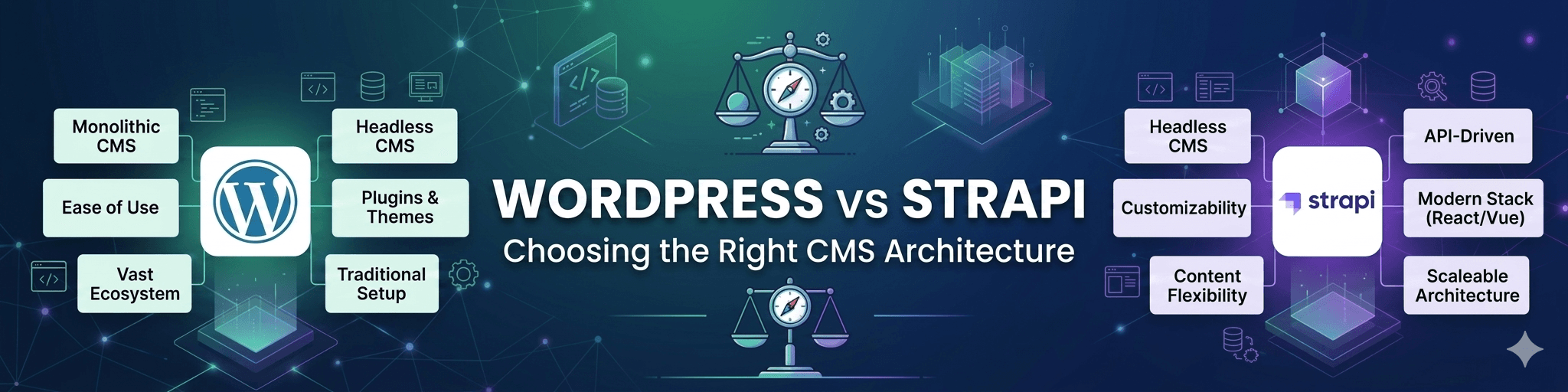


Choosing a CMS is no longer a simple website decision.
For modern businesses, the CMS affects how content is created, approved, published, translated, optimized, secured, integrated, and scaled over time. It influences search visibility, marketing agility, development workflows, security governance, performance, ownership, and long-term maintainability.
That is why the question is not simply:
“Should we use WordPress or Strapi?”
The better question is:
“Which CMS architecture matches the way our business actually operates?”
WordPress and Strapi are both strong platforms, but they are designed around different assumptions. WordPress began as a publishing-first CMS and evolved into a flexible website and application platform. Strapi is an API-first headless CMS built for developer-led architectures and custom frontend experiences.
Neither platform is automatically better in every situation.
The right choice depends on your operational reality:
- Who manages content?
- How often does the website change?
- Do marketers need landing pages without developer support?
- Is multilingual publishing important?
- Does SEO depend on editor-controlled metadata and schema?
- How much internal development capacity does the business have?
- What level of infrastructure ownership and governance is required?
This matters even more in the AI era, where structured content, search visibility, publishing governance, performance, and long-term control are becoming more important. As discussed in our article on WordPress in the AI era, businesses still need ownership, workflows, SEO control, integrations, and scalable infrastructure even as AI changes how users discover content.
For businesses already considering modern frontend architecture, the discussion often extends into headless delivery. A setup like headless WordPress with Next.js can combine WordPress’s editorial maturity with a modern frontend stack. Strapi, on the other hand, is built as a headless CMS from the start.
So this is not an “old vs modern” comparison.
It is an architecture decision.
And architecture decisions should be based on operational sustainability, not trends.
Understanding the Core Difference Between WordPress and Strapi
WordPress and Strapi solve content management from different directions.
WordPress is publishing-first. Strapi is API-first.
That single difference affects nearly every operational decision that follows.
WordPress: Publishing-First CMS With Flexible Architecture
WordPress is built around content publishing. Its strongest advantage is that it gives non-technical users a mature environment for creating, editing, managing, previewing, organizing, and optimizing content.
For marketing teams, SEO teams, ecommerce managers, publishers, and enterprise content teams, this matters.
WordPress offers:
- editor-friendly publishing workflows
- mature media management
- SEO plugin ecosystem
- multilingual publishing options
- custom post types
- role and permission management
- theme-based traditional websites
- REST API support for headless builds
- large plugin and developer ecosystem
WordPress can operate as a traditional CMS, a headless CMS, or a hybrid publishing platform.
This flexibility is one reason it continues to remain relevant for enterprise and business websites. It allows companies to start with a practical publishing system and evolve toward more advanced architecture when needed.
The tradeoff is that WordPress requires governance.
If plugins are unmanaged, hosting is weak, updates are pushed without testing, or performance is ignored, WordPress can become unstable. But that is not a WordPress-specific problem. It is an operational governance problem.
Strapi: API-First Headless CMS for Developer-Led Builds
Strapi is designed as a headless CMS. It focuses on content modeling, APIs, and backend flexibility. It does not assume a traditional website frontend. Instead, developers create the frontend separately using frameworks such as React, Next.js, Vue, or other modern frontend tools.
Strapi is strong for:
- custom applications
- API-first platforms
- developer-led teams
- frontend flexibility
- structured content modeling
- multi-channel content delivery
- custom backend workflows
Because Strapi is built around APIs, it can be a very good fit for projects where content needs to be distributed across websites, apps, portals, kiosks, or other digital products.
However, Strapi usually requires more engineering involvement than WordPress for common marketing operations.
For example, if a marketing team wants to create new landing pages, adjust SEO metadata, preview content, manage media, or build campaign pages quickly, the experience depends heavily on how the Strapi implementation is designed by developers.
That is not a weakness of Strapi.
It is simply the nature of API-first architecture.
Strapi gives developers flexibility. WordPress gives content teams maturity.
The better choice depends on which capability matters more for your business.
WordPress vs Strapi: Architecture Comparison
A CMS comparison should not stop at features. Businesses need to understand how each platform affects implementation, governance, workflows, and long-term scalability.
The table below provides a practical architecture-level comparison.
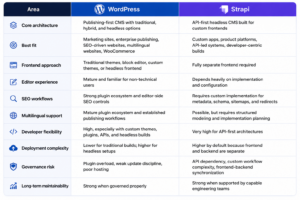
The important takeaway is this:
WordPress simplifies content operations. Strapi simplifies API-driven content delivery.
Those are not the same thing.
A business with a large marketing team, frequent campaign pages, SEO-heavy content, multilingual publishing, and non-technical editors may get more day-to-day operational value from WordPress.
A business building a custom SaaS platform, mobile app backend, or content API for multiple interfaces may benefit more from Strapi.
This is why CMS architecture should begin with operational questions, not technology preference.
Ownership, Governance & Long-Term Control
For UAE enterprises and growing businesses, CMS ownership is not only a technical concern. It is a strategic concern.
The platform should support long-term control over:
- hosting
- data
- deployment workflows
- security policies
- integrations
- multilingual operations
- performance governance
- compliance requirements
- vendor flexibility
Both WordPress and Strapi can support strong ownership models when implemented properly. Both can be self-hosted. Both can be customized. Both can be integrated into enterprise infrastructure.
But they require different governance models.
WordPress Governance
WordPress governance usually focuses on:
- plugin approval
- update workflows
- staging environments
- role permissions
- security hardening
- performance monitoring
- editorial workflow control
- backup and rollback processes
The biggest WordPress risks usually appear when businesses treat it as a one-time website installation rather than a managed platform.
A professional setup should include maintenance workflows, plugin governance, security reviews, performance monitoring, and deployment discipline. This is why a structured WordPress maintenance SLA becomes important for enterprise websites that rely on WordPress for long-term publishing and digital operations.
Strapi Governance
Strapi governance usually focuses on:
- API design
- content modeling
- frontend-backend synchronization
- deployment pipelines
- authentication and permissions
- package dependency management
- environment configuration
- API performance
- version control
Strapi gives development teams strong flexibility, but that flexibility creates implementation responsibility.
For example, SEO metadata, preview workflows, redirects, schema, sitemaps, and content approval flows may need to be planned and built carefully. These are not always ready-made in the same way marketers expect from WordPress.
For companies with strong internal engineering teams, this can be a strength.
For companies relying heavily on marketing teams and content editors, it can become operational friction.
UAE Market Considerations: Multilingual Publishing, Ownership, and Governance
CMS decisions in the UAE often involve additional layers of operational complexity.
Many businesses need:
- Arabic and English publishing
- RTL layout support
- multilingual SEO
- regional hosting flexibility
- enterprise approval workflows
- campaign landing page agility
- ecommerce scalability
- long-term agency accountability
This is where CMS architecture becomes more than a development decision.
For example, a bilingual corporate website may require editors to manage English and Arabic versions independently, preview pages before publishing, control SEO metadata in both languages, and maintain hreflang consistency.
In WordPress, these workflows can often be managed with mature multilingual tools and editorial processes.
In Strapi, the same workflows can be built, but they require stronger upfront content modeling, frontend implementation, and editorial planning.
Neither approach is wrong.
But the operational cost is different.
For UAE enterprises, the right CMS should support not only content delivery, but also governance, accountability, language workflows, and long-term maintainability.
Editorial Workflows & Content Operations
Many businesses underestimate editorial operations when choosing a CMS.
They focus on frontend flexibility and forget the people who will use the platform every day.
That is a mistake.
A CMS should support the actual publishing workflow of the organization.
Typical editorial needs include:
- creating pages
- editing content
- previewing changes
- uploading media
- assigning permissions
- managing approvals
- optimizing SEO metadata
- adding redirects
- publishing multilingual content
- creating campaign landing pages
WordPress has a major advantage here because it has spent years solving publishing workflows for non-technical users.
Editors usually get:
- a familiar admin interface
- visual editing tools
- mature media management
- SEO plugins
- preview functionality
- publishing roles
- landing page flexibility
This does not mean WordPress is automatically better.
It means WordPress is often better for organizations where content teams need autonomy.
Strapi can also support strong editorial workflows, but they must be designed. The content model, preview system, metadata fields, permissions, and frontend rendering logic need to be planned carefully.
This is where real-world implementation matters.
A Strapi project can be excellent when developers build the right editorial layer. But if the implementation focuses only on APIs and ignores editor usability, marketing teams may become dependent on developers for routine changes.
For SEO-driven businesses, this can slow down execution.
For example, a marketing team may need to adjust page titles, schema, canonical tags, campaign copy, FAQs, internal links, or localized content quickly. If those workflows are not built into the CMS properly, content velocity suffers.
That is why businesses that rely heavily on organic growth, content marketing, and landing page production should evaluate CMS usability as seriously as technical architecture.
For companies where search visibility is a major acquisition channel, CMS decisions should also align with long-term technical SEO services, including metadata governance, structured data, redirects, crawlability, and multilingual SEO workflows.
Performance & Scalability: Real-World Operational Tradeoffs
Performance is one of the most misunderstood parts of the WordPress vs Strapi conversation.
A common assumption is:
“Strapi is headless, so it must be faster.”
That is not always true.
Headless architecture can improve performance, but only when the frontend, caching, APIs, deployment pipeline, and infrastructure are implemented properly.
A poorly built headless site can still be slow.
A well-governed WordPress site can be extremely fast.
The CMS alone does not determine performance.
Implementation quality does.
WordPress Performance Reality
WordPress performance depends on:
- hosting quality
- caching strategy
- CDN setup
- plugin governance
- theme quality
- database optimization
- media optimization
- frontend discipline
A WordPress site with 50 unmanaged plugins, a heavy page builder, poor hosting, and no cache strategy will perform poorly.
But a WordPress site with clean architecture, object caching, CDN delivery, optimized images, good hosting, controlled plugins, and performance monitoring can scale reliably.
This is why performance should be treated as governance, not a one-time technical task. Our WordPress Speed Optimization Checklist for Core Web Vitals explains how performance depends on infrastructure, frontend discipline, caching, media optimization, and long-term monitoring.
Strapi Performance Reality
Strapi can perform very well when used as part of a properly designed architecture.
A typical Strapi setup may include:
- Strapi backend
- custom frontend
- API layer
- CDN
- cache strategy
- static generation or server-side rendering
- deployment pipeline
This can be highly scalable.
However, Strapi performance depends heavily on API design and frontend implementation.
Common performance challenges include:
- inefficient API queries
- over-fetching content
- poor caching strategy
- slow frontend rendering
- preview workflow complexity
- dependency on frontend build pipelines
In other words, headless does not remove complexity.
It moves complexity into architecture.
Ecommerce and Dynamic Content
Ecommerce adds another layer of complexity.
WordPress with WooCommerce can be a practical and powerful ecommerce solution when governed properly, but it requires performance discipline around checkout flows, dynamic content, cart sessions, payment gateways, caching, and database queries.
Businesses investing in WooCommerce development should evaluate not only design and functionality, but also performance governance, checkout reliability, infrastructure scaling, and long-term maintainability.
For larger ecommerce platforms, CMS architecture should also be aligned with broader ecommerce website development requirements, especially when product data, payment integrations, inventory systems, and marketing workflows must operate together.
Security & Maintenance Reality
Security is not automatically solved by choosing WordPress or Strapi.
Both platforms require governance.
The risks are different, but the principle is the same: unmanaged systems become vulnerable over time.
WordPress Security Reality
WordPress security risks often come from:
- outdated plugins
- weak admin access
- poor hosting
- abandoned themes
- missing update workflows
- lack of staging and testing
- plugin vulnerability exposure
WordPress can be highly secure when managed properly.
But it becomes risky when treated casually.
A mature WordPress environment should include:
- controlled updates
- vulnerability monitoring
- role-based access
- staging workflows
- firewall rules
- backup validation
- malware monitoring
- deployment governance
Strapi Security Reality
Strapi security risks often come from:
- API misconfiguration
- weak authentication models
- exposed endpoints
- dependency vulnerabilities
- poor permission configuration
- package update neglect
- insecure deployment practices
Because Strapi is developer-centric, security depends heavily on engineering discipline.
Teams must manage packages, APIs, permissions, environments, authentication, and deployment pipelines carefully.
This is not a weakness.
It is the responsibility that comes with flexibility.
For both platforms, security should be part of operational architecture. Businesses managing high-value digital infrastructure should align CMS implementation with broader cybersecurity services, especially when handling ecommerce, customer data, integrations, or enterprise publishing systems.
When WordPress Is the Better Choice
WordPress is often the better choice when content operations are central to the business.
It is especially strong for organizations that need:
- frequent publishing
- marketing-led landing pages
- SEO control
- multilingual content management
- ecommerce flexibility
- editor-friendly workflows
- fast campaign execution
- mature plugin ecosystems
- ownership of hosting and data
WordPress works well for:
- corporate websites
- enterprise publishing platforms
- ecommerce websites
- multilingual websites
- SEO-driven business websites
- content-heavy brands
- service businesses
- media and resource hubs
The biggest advantage is operational practicality.
A marketing team can usually manage content, metadata, media, pages, and publishing workflows without relying on developers for every change.
This matters for businesses where speed of execution is important.
For example, a UAE business running English and Arabic campaigns may need to publish landing pages quickly, adjust SEO metadata, update service pages, manage FAQs, optimize internal links, and localize content.
WordPress is usually strong in this environment because its ecosystem supports these workflows naturally.
WordPress is also a strong choice when businesses want the option to evolve gradually.
A company can start with a traditional WordPress website, then move toward a hybrid or headless architecture later if performance, frontend flexibility, or scale requirements increase.
That flexibility is a major strategic advantage.
When Strapi Is the Better Choice
Strapi is often the better choice when the business needs an API-first backend for custom digital products.
It is especially strong for:
- SaaS platforms
- mobile applications
- custom portals
- multi-channel content delivery
- developer-led product teams
- microservice-based architectures
- frontend-first digital products
Strapi is a strong fit when developers need to define custom content models and deliver that content through APIs to multiple frontends.
For example, if a business needs the same content to power a website, mobile app, customer portal, and internal system, Strapi may be a strong architectural fit.
It can also be a good choice when the internal team has strong engineering capacity and wants full control over frontend frameworks, API design, content modeling, and deployment pipelines.
However, businesses should be realistic about the operational requirements.
Strapi usually requires more developer involvement for:
- SEO implementation
- preview workflows
- content editing experience
- schema management
- sitemaps
- redirects
- landing page flexibility
- multilingual publishing workflows
That is acceptable when the business has the engineering resources to support it.
It becomes challenging when marketing teams expect CMS independence but the implementation has not been designed around editor usability.
The Hybrid Reality: Why Many Businesses Choose Headless WordPress
For many businesses, the best answer is not traditional WordPress or pure headless CMS.
It is a hybrid architecture.
Headless WordPress allows companies to use WordPress as the content backend while delivering the frontend through modern frameworks such as Next.js.
This model can offer:
- editor-friendly WordPress workflows
- modern frontend performance
- API-driven content delivery
- better frontend flexibility
- scalable rendering strategies
- improved developer experience
- continued access to WordPress ecosystem maturity
This is why many businesses choose WordPress not as a traditional website system, but as a content operations layer.
The frontend can be modern.
The CMS can remain familiar.
That combination is powerful when implemented properly.
A headless WordPress model works especially well when businesses need:
- stronger performance
- custom frontend experiences
- better Core Web Vitals
- content editor familiarity
- multilingual publishing workflows
- API-driven delivery
- scalable frontend architecture
However, headless WordPress also requires governance.
Preview workflows, API performance, cache invalidation, deployment pipelines, and frontend synchronization must be planned carefully.
This is why businesses should not move headless just because it sounds modern.
They should move headless when the operational benefits justify the complexity.
Businesses comparing implementation models should also review the differences between headless vs traditional WordPress.
For organizations that need a scalable frontend architecture with WordPress as the CMS layer, headless WordPress development can offer the right balance between editorial usability and modern frontend performance. When Next.js is part of the architecture, working with an experienced Next.js development company also becomes important for rendering strategy, performance governance, and deployment quality.
WordPress vs Strapi: Scenario-Based Recommendation
The right CMS depends on the business scenario.
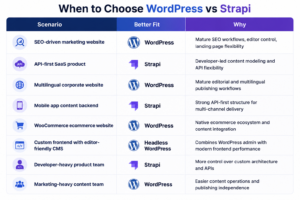
This is why the CMS decision should begin with business workflows.
Not platform popularity.
How Element8 Approaches CMS Architecture Decisions
At Element8, CMS architecture is evaluated through operational fit, not platform preference.
The right recommendation depends on how the business actually needs to operate.
Our CMS architecture evaluation typically considers:
- content workflow complexity
- multilingual publishing requirements
- SEO requirements
- frontend performance goals
- ecommerce needs
- internal team capabilities
- governance requirements
- hosting and infrastructure preferences
- security expectations
- long-term maintainability
For some businesses, WordPress is the most practical and scalable choice because it supports publishing, SEO, multilingual workflows, and business ownership efficiently.
For others, Strapi may be the better fit because the platform needs an API-first backend for custom applications or multi-channel delivery.
And for many enterprise websites, headless WordPress offers the right middle ground: modern frontend flexibility without sacrificing editorial usability.
The important point is that CMS decisions should be made around operational reality.
A good architecture should support the business not only at launch, but for years after launch.
That means the CMS must be maintainable, secure, scalable, editable, and aligned with the way teams actually work.
Final Thoughts
WordPress vs Strapi is not a battle between old and new.
It is a decision between different architectural philosophies.
WordPress is strongest when businesses need mature publishing workflows, SEO control, multilingual content operations, ecommerce flexibility, and editor independence.
Strapi is strongest when businesses need API-first architecture, custom frontend control, developer-led content modeling, and multi-channel delivery.
Both platforms can scale.
Both can be secure.
Both can support modern digital experiences.
But both require governance.
The wrong CMS choice usually happens when businesses choose based on trends rather than operational reality.
The right CMS choice begins with questions like:
- Who manages content?
- How important is SEO?
- How complex are multilingual workflows?
- How much internal development support exists?
- What level of infrastructure control is required?
- How will the platform be maintained after launch?
For UAE businesses managing multilingual publishing, enterprise growth, ecommerce operations, and performance-driven search visibility, CMS architecture should be treated as a long-term infrastructure decision.
A good CMS should not only support launch.
It should support ownership, governance, scalability, security, performance, and maintainability for years to come.
FAQs
Is Strapi better than WordPress?
Strapi is better than WordPress for API-first applications, developer-led products, and custom backend architectures. WordPress is usually better for publishing workflows, SEO-driven websites, multilingual content operations, and marketing-led websites. The better choice depends on the business model, team structure, and long-term operational requirements.
Can WordPress be used as a headless CMS?
Yes. WordPress can be used as a headless CMS through its REST API or GraphQL-based implementations. In a headless setup, WordPress manages content while a frontend framework such as Next.js delivers the user interface. This approach is useful when businesses want WordPress editorial workflows with modern frontend performance.
Which CMS is better for SEO, WordPress or Strapi?
WordPress is usually easier for SEO because it has mature plugins, editor-side metadata controls, sitemap tools, redirect management, and schema support. Strapi can also support strong SEO, but metadata, schema, sitemaps, canonicals, redirects, and frontend rendering must be implemented carefully by developers.
Is Strapi faster than WordPress?
Strapi is not automatically faster than WordPress. Performance depends on hosting, frontend implementation, API design, caching, CDN setup, rendering strategy, and operational governance.
A well-built WordPress or headless WordPress website can perform extremely well, while a poorly implemented Strapi project can still be slow.
Which CMS is better for multilingual websites?
WordPress is often easier for multilingual websites because it has mature multilingual plugins and established editorial workflows. Strapi can support multilingual content, but it requires careful content modeling, frontend implementation, and governance to manage translations, metadata, hreflang, and localized content delivery.
When should businesses use Strapi?
Businesses should use Strapi when they need an API-first CMS for custom applications, mobile apps, SaaS platforms, multi-channel content delivery, or developer-led digital products. Strapi is strongest when the organization has the technical resources to manage custom frontend, backend, and deployment workflows.
Can WordPress scale like Strapi?
Yes. WordPress can scale reliably with proper caching, CDN architecture, database optimization, object caching, infrastructure planning, and deployment governance. Scalability depends more on implementation quality than on the CMS name alone.
Is WordPress outdated compared to Strapi?
No. WordPress is not outdated simply because Strapi is API-first. WordPress has evolved into a flexible CMS that supports traditional, hybrid, and headless architectures. The better question is not whether WordPress is old or Strapi is modern, but which architecture fits the business’s operational needs.